iPad Casinos UK: Payments, Apps and Game Checks
 Available in GB
A practical look at payment availability, fees and limits, plus the checks that separate tablet-friendly play from marketing claims.

Table of Contents
- Playing at an Online Casino on an iPad: Start with the Cashier
- Choosing an iPad Casino Without Trusting the Sales Pitch
- Casino Games and Slots on an iPad: What to Check
- Free Slot Apps and Games: Keep Them Separate from Real-Money Play
- Free iPad Slots and Downloads: Check Before Installing
- Casino Apps on iPad: App or Browser?
- Real-Money Casino Play on iPad: Deposits, Withdrawals and Limits
- iPad Casinos in the UK: The Checks That Still Matter in 2026
- Bonuses, Deposits and Bitcoin: Read the Cashier Terms First
- Live Casino and Blackjack on an iPad: Check the Current Options
Playing at an Online Casino on an iPad: Start with the Cashier
An iPad can make a casino site look polished while hiding the detail you actually need. Before I put money into any online casino on a tablet, I open the cashier and check what it shows for my account. A payment logo on a homepage is a sales cue, not confirmation that the method is available to me, on this device, at the point I’m ready to deposit.
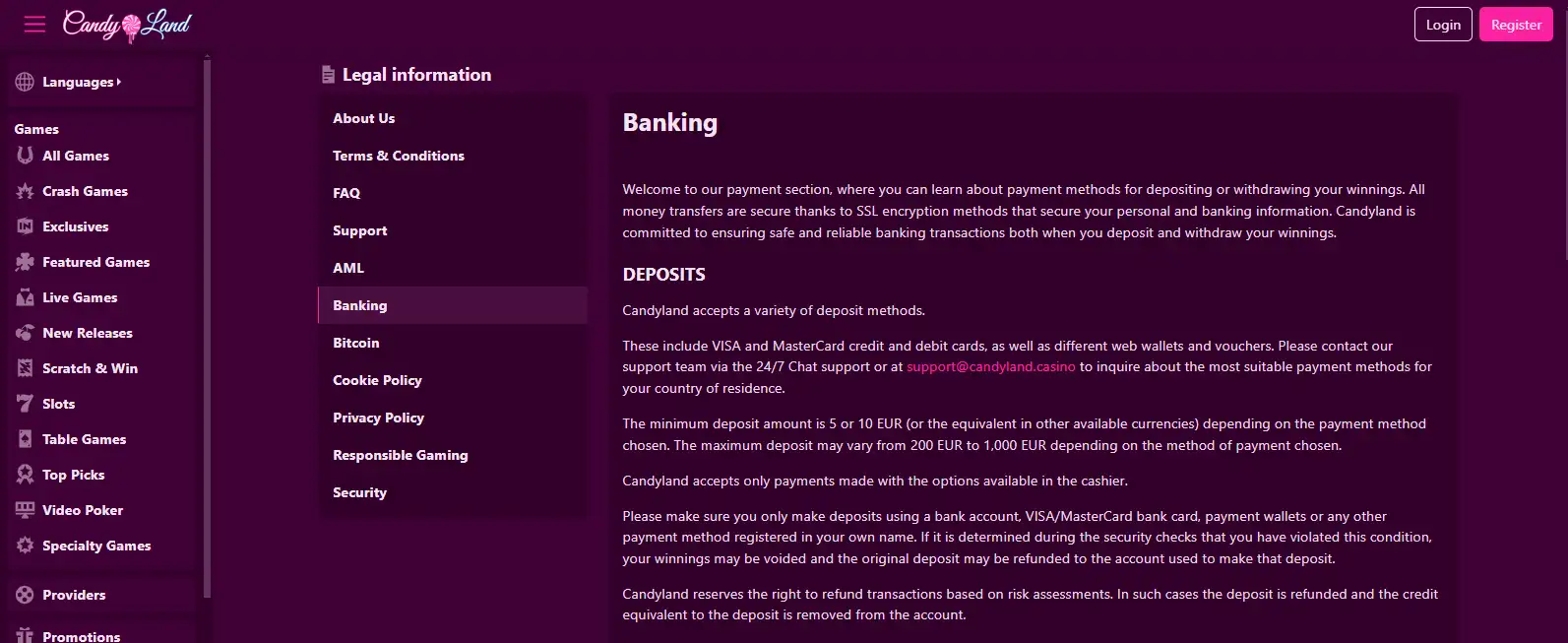
The cashier is where the practical terms come together: which methods are offered, what the minimum deposit is, whether a transaction has a maximum value, and whether a fee applies. These details can depend on the payment method and can change. A specialist review may give you a starting point, but I treat it as a snapshot; the live cashier is the place to confirm the current conditions before proceeding.
That distinction matters on an iPad. A site may adapt its layout to a smaller screen, and a payment option shown in a general description may not be displayed in your logged-in cashier. I don’t assume that a desktop screenshot, an old review, or a banner on the front page describes the choices my account will actually get. I sign in, open the cashier, and read the payment information there.
I also check the account controls before depositing. New customers must be asked to consider setting a financial limit before making their first deposit, and the account’s limit tools should remain accessible afterwards. I look for those controls rather than treating them as an afterthought. It is easier to decide what I’m comfortable spending before money is in the account. Less pressure, better thinking.
On an iPad, small interface choices can make a difference. A button may sit below the visible part of a panel; a terms link may open in a new tab; a form may need scrolling before the confirmation button appears. I take the time to read the screen instead of tapping through because the cashier looks familiar. If the displayed amount, selected method, or fee is unclear, I pause and check rather than guessing what the next tap will do.
The same caution applies to card options. In Great Britain, remote gambling operators cannot accept credit-card payments for gambling, including when the payment is routed through a money service business. So I would not treat a credit card as an acceptable way to fund casino play, nor try to route credit-card money through another service. Check what the cashier actually permits and use a payment source that is allowed.
Some operators’ payment pages can show choices that differ by account or method. The fact that a specialist review lists a particular provider does not establish that it will appear in your live cashier. Independent reviews have listed cards, e-wallets and other payment types, but availability is not something I would infer from a category label or an old list. Confirm the specific option in front of you, including any conditions attached to it.
I keep a simple order when I check: open the cashier while signed in, inspect the available methods, read the deposit minimum and transaction maximum, check for fees, then look for the financial-limit settings. Only after those details make sense would I continue. That takes longer than tapping the first bright button. It also avoids discovering that I misunderstood the terms after the money has left my account.
The iPad itself doesn’t make a casino’s payment terms more generous or more restrictive by default. What matters is the current offer in the cashier and the rules attached to the method you select. Deposit and withdrawal figures, charges and processing times can vary with the method and the operator’s live terms; don’t carry a number over from another site or assume it still applies because you saw it recently. A specialist review is useful context, not a substitute for checking the screen you are about to use.
If the cashier is difficult to read, the terms are hard to find, or you cannot tell which amount will be charged, stop before confirming. I’ve learned that an extra minute spent checking is cheaper than an assumption made in a hurry. On a tablet, that’s the whole starting point: verify the live cashier, understand the figures and controls it presents, and only then decide whether to deposit.
Cashier Check Sequence
Open the cashier while signed in to your account.
Inspect available payment methods and read the deposit minimums and transaction maximums.
Check for any applicable fees.
Locate and review the financial-limit settings before proceeding.
Choosing an iPad Casino Without Trusting the Sales Pitch
“Best” is doing a lot of work in casino advertising. On an iPad, a polished page can look convincing before you have found out whether the operator’s rules, account checks and payout arrangements suit you. I would treat any shortlist as a starting point, not a verdict. The useful question is not which casino has the loudest claim, but what you can confirm before signing up.
Start with the operator’s current terms and the information it gives about serving British customers. For real-money play in Great Britain, the operator needs a UKGC licence. That is a basic eligibility check, not a badge that tells you whether the service will suit your circumstances. I would rather confirm that point and read the relevant account rules than take “trusted” or “top-rated” at face value.
Then look at what happens after a win, not only what is shown beside the deposit button. Before depositing, establish which payout route is available to your account, whether identity checks are still outstanding, and which current terms apply. Those details can affect whether a withdrawal is straightforward for you. A payment logo on a promotional page is not proof that the same route will be offered for your account or for a payout.
This is where I used to skim. I saw a familiar name and assumed the practical details would sort themselves out later. That is a poor way to choose. Check whether the account requirements match the information you can provide, and whether the operator explains what it may ask you to verify. If an important condition is unclear, pause and ask support before putting money in. A quick answer before registration is more useful than trying to interpret a restriction when a withdrawal is pending.

Treat payout claims with the same caution. A specialist review may describe withdrawal limits, fees or processing times, but those details are not fixed UK-wide figures. The live cashier is the place to confirm what applies now. If a review and the operator’s current information do not line up, do not assume the more attractive version is the one you will receive. Conditions can change, and a broad claim does not tell you what your own account can use.
There is also a difference between a casino that works on an iPad in principle and one that is practical for you. Before committing, check the operator’s own current information using the device and account details you intend to use. Can you find the terms, account controls and support information without getting sent around in circles? Can you read the important conditions clearly? If basic account information is awkward to locate, I would not expect the advertising to become more useful after registration.
A “seamless” experience is a sales phrase, not a promise about what you will see. The sensible test is whether you can reach the information that matters and understand it before depositing. That includes the route available for a payout, any verification still needed, and the operator’s current terms. I would not infer any of those details from an app-store description, a review headline or a page designed mainly to collect registrations.
- Confirm the operator holds a UKGC licence
- Establish available payout routes before depositing
- Ask support about unclear conditions before registering
- Trust “best” or “top-rated” labels at face value
- Assume a promotional payment logo proves availability
- Rely on app-store descriptions for account terms
Keep your own requirements in view, too. An operator may be legitimate and still be a poor fit if its account conditions or available payout route do not work for you. Compare the conditions you can actually verify, rather than trying to crown a universal winner. If your preferred route is not available, or the terms are hard to establish, there is no need to force the choice.
That is less exciting than a ranked list. It is also more useful. I have learned not to confuse a persuasive recommendation with a checked account. Read the current operator information, confirm the details that apply to you, and only then decide whether it is worth proceeding.
Casino Games and Slots on an iPad: What to Check
A casino page can look polished on an iPad and still leave you guessing about the games themselves. I’ve learned not to treat a row of colourful tiles as proof that everything will work well on a tablet. Check whether the game information is readable, whether controls fit the screen, and whether the operator explains how its games behave on mobile.
Slots deserve a closer look. In Britain, an online slot spin must take at least 2.5 seconds, and autoplay is not allowed. If a game’s presentation suggests that spins can be set running automatically, that does not match the rules for online slots here. Take a moment to notice what the controls actually offer rather than assuming the tablet version works like a desktop one.
That matters because an iPad can change how a game feels: buttons may be smaller, menus may be arranged differently, and a feature that is clear on one screen can be awkward on another. I wouldn’t pick a game from its promotional image alone. Open the operator’s game information and look for details about the mobile version, rules and available controls. If those details are hard to find, that’s useful information too.

People often want a ready-made list of the best iPad slots or casino games. I can’t honestly turn that into a title-by-title recommendation without checking the actual catalogue and its current tablet support. Game availability can vary between operators, and a name shown in one place is not proof that it will be offered in another. No magic list.
For a sensible comparison, note what you want from the experience—clear instructions, usable controls, or a particular style of play—then check those points on the casino you are considering. Keep free-play games distinct from real-money play, too: the next thing to check is what a free game actually does and whether it involves a deposit.
Free Slot Apps and Games: Keep Them Separate from Real-Money Play
A free slot game can look and feel like casino play on an iPad, but the word “free” needs a closer look. It may describe a mode that uses a virtual balance rather than money you can withdraw. That can be useful if you want to see whether you enjoy the pace and presentation. It does not tell you what real-money play would involve, or whether the same game is offered for money.
I used to treat a familiar-looking slot screen as a sign that I understood the product. I didn’t. The important difference is not the reels or buttons; it is what happens to the balance. In a free-play mode, a displayed win is not automatically cash you can claim. If you are choosing a game for entertainment, keep that distinction in mind from the start.
What “free” means on the screen
Before settling in, read the description of the mode and any terms shown in the game. Check whether the balance is described as virtual, whether the game offers a separate real-money mode, and whether switching modes would take you into an account or payment flow. Don’t assume that a free session is isolated just because you began without depositing.

The same care applies to wording such as “casino game” or “slot machine”. A game can use casino-style graphics without giving you a way to cash out. Conversely, an operator’s real-money games are a different kind of activity, with account and payment decisions attached. Keep the two purposes separate: casual play for amusement, and gambling with money.
That sounds obvious. It is easy to overlook.
Choosing a free game for an iPad
If you are comparing free slot games for an iPad, focus on what you can actually assess in the free mode: whether the controls are comfortable on the screen, whether the instructions make sense, and whether the presentation is something you want to spend time with. Those are personal preferences, not proof that a game is better or that it will behave the same way in a different mode.
I would also look for a clear explanation of what the game is offering before tapping through. If the description leaves you unsure whether you are playing with a virtual balance or entering a real-money experience, pause and check rather than guessing. A bright “play” button is not an explanation.
There is no need to turn a free game into a test of what you might win elsewhere. A virtual balance is part of that particular experience; it does not tell you what you would stake, win or withdraw in real-money play. Keep the session in its lane.
Keep spending separate from playing
Free play and spending can sit close together in an app or service, so pay attention to any screen that introduces purchases, deposits or an account. If you want only a no-money game, do not continue through a payment prompt on autopilot. Read what the prompt is asking you to do, and back out if it no longer matches your intention.
This is also where I’d avoid reading too much into “free”. It can describe access to a mode, but it is not a promise that every feature or interaction will be free. Check the wording on the screen and the terms that apply to that experience. If the distinction is unclear, leave it alone until it is clear.
Legal Requirement
Operators offering online gambling to customers in England, Scotland, and Wales must hold a UK Gambling Commission licence.
For real-money gambling in Great Britain, the legal framework is separate from free-play entertainment: operators offering online gambling to customers in England, Scotland and Wales must hold a UK Gambling Commission licence. A free game’s appearance alone does not establish that it is a real-money casino, nor does it tell you anything about a different service you might later use.
A simple boundary
I find it helps to decide what I opened the game for before I start: killing time with a virtual balance, or considering gambling with money. If it is the first, stay with the free mode and treat its results as entertainment, not a forecast. If the experience starts steering you towards spending, take a moment to reconsider rather than letting the next tap make the decision for you.
That boundary keeps the two things distinct. Free slots can be a way to explore a style of game on an iPad, but they are not a substitute for checking the separate conditions of real-money play. Keep the screen’s labels in view, read before switching modes, and don’t mistake a simulated win for withdrawable money.
Free iPad Slots and Downloads: Check Before Installing
A free slot on an iPad can mean a game played in a browser, a downloadable app, or a casino’s practice mode. Those are not the same thing. I would check which one a page is offering before tapping anything: “free” may describe access to a game, not a route to withdraw winnings or a promise that real-money play is unnecessary.

If you want to try a game without installing software, look for a clearly labelled play option on the operator’s own site. Read the screen before continuing. If it asks you to create an account, enter payment details or make a deposit, you are no longer just trying a download-free game. Stop and decide whether that is what you meant to do.
Downloads need a separate pause. Check who publishes the app, where the download is coming from and what permissions it requests. A page using casino language does not, by itself, tell you that a file is genuine or suitable for your iPad. I used to treat a polished-looking button as proof enough. It isn’t.
For real-money gambling in Great Britain, an operator serving customers must hold a UK Gambling Commission licence, and online gambling is legal for adults aged eighteen and over at licensed sites. A free-play label does not establish that an operator is licensed, nor does it prove that the app is an official one. Check the operator’s current information rather than trusting a badge or a download prompt on an unfamiliar page.
There is another difference worth keeping in mind: a free version may not behave exactly like a real-money game. Treat it as practice or entertainment, not as evidence of what you will win if you later deposit. If the screen switches from free play to a money prompt, take that as a fresh decision, not a continuation of the same harmless session.
For slots played online in Britain, autoplay is banned and each spin must last at least two and a half seconds. That matters even when the screen is an iPad: the device does not change the rules.
Slot Rules
For slots played online in Britain, autoplay is banned and each spin must last at least two and a half seconds.
So, before installing, ask yourself what you are getting: a free game, an official casino app, or a route into gambling. If the page blurs those together, close it and check elsewhere. No download is worth guessing.
Casino Apps on iPad: App or Browser?
An app icon can make a casino feel more established, but it does not tell you whether the service is suitable for your iPad or what rules apply to your account. I used to treat “download the app” as a shortcut to a better experience. It is only a different way of opening the service; you still need to check who operates it and what its current information says.
Some operators provide a dedicated iPad app, while others direct customers to use their website in a browser. Don’t assume that an app exists just because a casino’s website looks polished on a tablet, or that an app you find elsewhere is official. Start from the operator’s own current site and follow its instructions. If it does not clearly identify an app as its own, I would not install it on the strength of a search result or an advert.
What the app changes — and what it doesn’t
An app may put the casino behind an icon on your home screen. A browser lets you visit the operator’s site without installing a separate casino application. Those are practical differences in access, not proof that one route has better terms, more games or safer payments. Check the information the operator gives about using its service on an iPad, and make sure you can still reach its account and help pages whichever route you choose.
I’d also check the operator’s UK status rather than treating an app-store listing as a stamp of approval. Real-money online casinos serving customers in Great Britain must hold a UK Gambling Commission licence. That obligation does not change because you open the casino in an app instead of a browser. If the operator’s identity or licensing information is hard to find, stop and resolve that before creating an account.

The app format does not make age checks or account requirements disappear either. A new customer must have their age verified before being allowed to deposit. Read the operator’s current information about setting up and maintaining an account, rather than assuming that an app will explain every requirement at the moment you need it.
Check the details in the route you use
Before settling on an app, compare its current operator information with the website’s. Look for clear guidance on iPad support, account access, updates and where to get help if the app stops working. If the operator provides no app, a browser may be the intended route; don’t try to force a download from an unofficial source just to get an icon on the screen.
I would not assume that information stays fixed across versions or over time. Withdrawal methods, limits, fees and processing statements can change; a specialist review may therefore describe an earlier position rather than what your account can use now. If you are checking any payout information while deciding between app and browser, confirm it directly in the operator’s current terms and account pages. The live details matter.
Nor should you assume that an app and a browser show identical screens or account options. If something important is missing in one route, check the operator’s own instructions or contact its support before acting. I’ve learned not to mistake a smoother-looking screen for a clearer answer.
So the choice is less “best app” versus “bad browser” than official app versus the operator’s supported website route. Use the option the operator currently identifies for iPad, and judge it by the information and account access it actually provides. No icon earns trust on its own.
Real-Money Casino Play on iPad: Deposits, Withdrawals and Limits
Playing for real money on an iPad is not just a matter of getting a deposit accepted. Before I put money into an account, I want to know how it can come back out, what might be deducted along the way, and which limits I can set. A payment button that works for deposits does not, by itself, tell you anything about the withdrawal route.
Start by opening the casino’s cashier while signed in and checking the options shown for your account. A specialist review advises players to confirm whether the method used to deposit can also be used for withdrawals. Treat that as a check to make, not a rule that every casino follows. If the cashier lists a different payout method, check what details you would need to provide and whether you already have access to that account.
This matters because payment routes can depend on the casino and the method selected. A deposit may go through, yet the route for a payout may involve another method or additional steps. Don’t assume that a card, wallet or other deposit option will automatically handle both directions. Check the casino’s current terms and the options actually available to you, rather than relying on an old review or a payment logo.
Check the amounts and costs before depositing
Look at the cashier for the minimum deposit and maximum transaction value, and check whether it shows fees. These details can depend on the payment method and can change, so a figure remembered from an earlier visit may no longer apply. The same goes for withdrawals: review the current minimum and maximum, any charges, and the stated processing information before you commit funds.
A specialist review notes that withdrawal limits, fees and processing times do not have stable UK-wide figures that can be relied on across casinos. The signed-in cashier is the practical reference for your account. If the displayed terms are unclear, pause and ask the operator to explain them before depositing. It is easier to sort out a question at the start than to discover a condition when you are trying to withdraw.
Also check that the payout route matches your account details and currency. A mismatch can create an avoidable obstacle when a payment is being processed. If you have not completed identity checks, find out what is still required and whether it could affect a withdrawal. Keep the information you provide consistent with the payment account you intend to use.
Real-Money Deposit
- Confirm the deposit amount and associated costs
- Identify the available withdrawal route
- Check all payout conditions and terms
- Set a financial limit before the first deposit
Set a limit before the first deposit
A real-money account should prompt a new customer to consider setting a financial limit before making a first deposit. Take that moment seriously. Choose a limit that fits what you can afford to lose, not the amount a promotional message makes sound tempting. After registration, the account should continue to provide access to its financial-limit controls, so you can review or adjust them rather than treating the first choice as a one-off screen.
I would not treat an available balance as a spending target. A limit is useful only if it reflects your own budget, and it is worth checking where the control sits in the account before you start playing. That small bit of setup can make it easier to stop when you intended to stop.
Make a withdrawal plan, not an assumption
Before depositing, check the route available for payouts, any outstanding identity requirements and the current operator terms. A specialist review also flags that the deposit method may not be the withdrawal method, which is why checking both sides matters. Save or note the relevant terms if you need to compare what the cashier displays later.
For iPad casino play with real money, the sensible sequence is plain: confirm the deposit amount and costs, find the available withdrawal route, check payout conditions, then set a financial limit before the first deposit. If one of those details is missing or confusing, wait. The screen will still be there.
iPad Casinos in the UK: The Checks That Still Matter in 2026
When choosing an iPad casino for the UK, you’ll want to check practical details before deciding where to play. This list gives you one known detail for each operator: its stated payout speed.
Payout speed: 1-3 business days Britsino lists a payout speed of 1–3 business days, giving you a timeframe to consider when reviewing the operator.
Payout speed: 1-3 business days x3bet lists a payout speed of 1–3 business days, a practical detail for you to keep in mind.
Payout speed: 1-3 business days Revery Play lists a payout speed of 1–3 business days, giving you a stated timeframe for payouts.
Payout speed: 1-3 business days NightWin lists a payout speed of 1–3 business days, which gives you a clear detail to factor into your choice.
Payout speed: 1-3 business days SpinFormula lists a payout speed of 1–3 business days, a useful point for you to note when considering the operator.
Payout speed: 1-3 business days EvoSpin lists a payout speed of 1–3 business days, giving you a stated timeframe to bear in mind.
Payout speed: 1-3 business days Zombillion lists a payout speed of 1–3 business days, which offers you one concrete detail to consider.
Payout speed: 1-3 business days Dieselwin lists a payout speed of 1–3 business days, giving you a timeframe to take into account.
Payout speed: 1-3 business days SlotoSport lists a payout speed of 1–3 business days, a stated detail for you to consider when reviewing the operator.
Payout speed: 1-3 business days BeOnBet lists a payout speed of 1–3 business days, giving you a clear timeframe to keep in mind.
Using an iPad does not change the rules that apply to online gambling in the UK. Real-money casinos serving customers in Great Britain must hold a current UKGC licence, and players must be at least 18. I would check that before getting distracted by a polished page or a “made for iPad” label. The screen may look different; the safeguards should not disappear with it.
One rule is especially clear: a UK-licensed remote gambling operator cannot accept a credit card for gambling. That prohibition also covers payments routed through a money service business. A card option appearing on a general payment page is not proof that credit-card gambling is allowed; check what the operator accepts for this purpose. Trying to route credit through another service does not make it an acceptable workaround.
Before depositing, look at the account’s actual withdrawal route, not just the method shown on the deposit screen. Check whether identity checks are still outstanding and read the current operator terms. A specialist review can be a useful snapshot, but withdrawal methods, limits, fees and processing statements can change. The live account information is the part to rely on when you are deciding whether to put money in.
I used to treat a payment logo as a promise that the whole journey would work the same way in reverse. It isn’t. Check that the route offered for a payout matches your account details, and that you understand any conditions attached to it before you deposit. That small bit of reading is less exciting than tapping “pay”, but it can spare you a nasty surprise later.
Credit Card Prohibition
A UK-licensed remote gambling operator cannot accept credit cards for gambling, including payments routed through a money service business.
New customers should also be prompted to consider a financial limit before their first deposit. Set one deliberately rather than clicking through by habit, and make sure the account’s limit controls remain available afterwards. I’d rather pause on that screen than try to impose a limit after I’ve already got carried away.
So, for an iPad casino in the UK, the useful checks are ordinary ones: a valid UKGC licence, age safeguards, no credit-card gambling, and current account-specific payment and terms information. “Seamless” is just a sales word. Check the details.
Bonuses, Deposits and Bitcoin: Read the Cashier Terms First
An iPad bonus can look simple on a banner: claim an offer, make a deposit, start playing. I’ve learned to treat “simple” as a prompt to open the terms before I tap anything. Check whether the offer is still available, which games or deposits qualify, and whether the payment method you plan to use is excluded. A bonus is only useful if its conditions suit the way you intend to play.
The same applies to a no-deposit offer. Don’t assume that the phrase means there are no restrictions or account steps. Read the full offer terms and confirm that the promotion appears in your account before relying on it. If the wording on the offer page and the terms seem to differ, pause rather than guessing.
Payment options can vary between operators and change over time. Some independent specialist reviews list cards, e-wallets, PaysafeCard and cryptocurrencies among casino payment methods, but that does not establish that any one option is available at a particular casino. Check the live cashier on your iPad. If Bitcoin is not shown there, don’t assume you can use it just because a review mentions cryptocurrency.
Payforit needs a separate check if a bonus matters to you. A specialist review reports that many UK casinos exclude Payforit deposits from welcome offers and promotions. That is not a rule to apply blindly to every operator; read the current promotion terms and confirm the cashier’s options before depositing.

I’d also check whether the offer requires a particular deposit route and whether changing methods affects eligibility. The important detail is not the banner’s headline but the terms attached to your account and payment choice. Screenshots help me keep track of what I actually agreed to. Less guesswork.
Live Casino and Blackjack on an iPad: Check the Current Options
A live-dealer section can look impressive on a casino page, but that does not tell you whether the tables you want are available on an iPad. I’d check the operator’s current game information from the device I plan to use, then look for clear details about live play and blackjack. A broad “live casino” label is not confirmation that a particular table, layout or feature is offered.
The same goes for the viewing experience. A live game may depend on a steady connection and a page that behaves properly on your device; don’t assume that a desktop description proves the iPad version works the same way. I’ve been caught by attractive labels before. Check the actual information, not the sales gloss.
For real-money play, the operator serving customers in Great Britain must hold a UK Gambling Commission licence. That matters whether you are looking at blackjack or another live table. A polished broadcast is not a substitute for checking who operates the site.
Before sitting down, read the table rules and any displayed limits, and make sure you understand how the game works. If the details are unclear or the page does not behave as expected, leave it there rather than guessing mid-game. No table is worth fumbling through terms while money is involved.
I’d also keep the basics in view: online gambling in the UK is for adults aged 18 and over, and a licensed operator must verify a customer’s age before allowing deposits. Live play can feel more immediate than a slot, but it is still gambling. Set a financial limit before depositing, and step away if the session stops feeling controlled. Check first. Then decide.
Which UK casinos still accept Payforit in 2026?
Payforit is listed as available at Kwiff, NetBet, JackpotJoy and Virgin Games. Check your signed-in cashier to confirm it is currently offered for your account.
Do online casino bonuses work with Payforit deposits?
Usually not: most UK casinos exclude Payforit deposits from welcome bonuses and other promotions. Check the current offer terms before depositing.
What are the withdrawal limits when using a Payforit casino?
You cannot withdraw casino funds through Payforit. Check your cashier for the payout methods and any withdrawal limits available to your account.
Is there a maximum deposit amount with Payforit at UK casinos?
Yes. Payforit deposits are capped at £30 per transaction.
What is the current minimum deposit?
Payforit deposits typically start at £3–5. Check your casino’s live cashier for the minimum that applies to your account.
How does Payforit work for a casino deposit?
Select Payforit in the cashier, enter your mobile number, then submit the confirmation code sent to you by SMS. The deposit is charged to your monthly phone bill or deducted from your prepaid balance.
Are Payforit casinos safe to play?
For real-money play in Great Britain, choose an operator with a UK Gambling Commission licence. Check the operator’s current terms and account requirements before depositing.
Created by the ”Candyland Casino 1” editorial team.