
Pay by Mobile Casinos UK: Deposits and Limits
 Available in GB
See how contract billing and prepaid credit affect casino deposits, and what to check before choosing a mobile payment method.

Table of Contents
- Mobile Slots and the Phone-Billing Catch
- What Pay by Mobile Actually Means at the Cashier
- How to Check Whether a Casino Accepts Mobile Payments
- Paying by SMS: The Deposit Steps
- Pay by Mobile and Casinos Not on GamStop: Don’t Assume They Go Together
- Deposit Limits, Fees and the £30 Ceiling
- Your Phone Bill Is Not a Withdrawal Route
- Mobile Slots by SMS: What Your Phone Needs
- Boku Deposits: Confirm First, Then Check Your Credit
- Virgin Games and Pay-by-Mobile Deposits
Mobile Slots and the Phone-Billing Catch
Playing slots on a phone can make the whole session feel more casual. The game is right there, and a deposit charged to your mobile account can feel less like spending than reaching for a bank card. That impression is the catch. The money still comes from somewhere: a contract-phone deposit is added to a future bill, while a pay-as-you-go deposit uses prepaid credit.
I’ve had to remind myself that “just a quick spin” is still gambling with real money. Moving from a laptop to a phone doesn’t make the cost easier to absorb; it can make it easier to overlook. With phone billing, the deposit may not leave your bank account at the moment you play, but it still affects your finances. On a contract, it appears later. On pay as you go, it reduces credit you already paid for.
That difference matters when you’re choosing a slot and settling into a session. A game’s theme or pace can hold your attention, while the payment itself stays out of sight. The phone doesn’t show a running total of what a future bill will feel like, and prepaid credit can be easy to treat as separate from other spending. I’d look at the amount as gambling money either way, not as spare phone credit.
When you consider a pay-by-mobile casino in the UK, check the available payout information as well as how you plan to pay. This list gives you the stated withdrawal timeframe for each operator.
Payout speed: 1-3 business days Britsino lists a payout speed of 1–3 business days, giving you a stated timeframe to consider.
Payout speed: 1-3 business days x3bet lists payouts at 1–3 business days. This gives you a clear timeframe to factor into your choice.
Payout speed: 1-3 business days Revery Play states a payout speed of 1–3 business days, useful if you want to check withdrawal timing.
Payout speed: 1-3 business days NightWin lists a 1–3 business day payout speed, so you have a stated withdrawal timeframe to review.
Payout speed: 1-3 business days SpinFormula gives a payout speed of 1–3 business days. Consider this stated timeframe when reviewing your options.
Payout speed: 1-3 business days EvoSpin lists payouts at 1–3 business days, providing a specific timeframe for you to keep in mind.
Payout speed: 1-3 business days Zombillion states a payout speed of 1–3 business days, which gives you a clear point to consider for withdrawals.
Payout speed: 1-3 business days Dieselwin lists a 1–3 business day payout speed. You can use that stated timeframe when assessing withdrawal timing.
Payout speed: 1-3 business days SlotoSport gives a payout speed of 1–3 business days, making its stated withdrawal timeframe clear.
Payout speed: 1-3 business days BeOnBet lists payouts at 1–3 business days, a stated timeframe for you to take into account.
There is another catch if you were hoping to pair a phone-billed deposit with a welcome offer. A specialist casino review reports that most UK casinos exclude Payforit deposits from welcome bonuses and other promotions. That is not a promise about every operator or every offer, so the terms for the offer you are considering matter. But don’t assume that choosing a payment method and opting into a promotion automatically work together.
The word “bonus” can make a deposit look more attractive than it is. In practice, the offer may not apply to a Payforit deposit at all. If you’re choosing a slot because you think a promotion will stretch your play, check whether the payment method qualifies before you count that value in. Otherwise, you can end up making the deposit for a deal you cannot use. A dull detail, but an expensive one to miss.
The game itself has rules that no payment method changes. Online slots in Britain cannot offer autoplay, and each spin must last at least two and a half seconds. The maximum stake per game cycle is £5 for customers aged 25 and over, and £2 for those aged 18 to 24. Those limits are part of the playing environment, not a feature of a particular phone or payment option.

It’s worth keeping the slot and the payment decision separate in your head. A slot might be appealing because of its look or mechanics; paying through a mobile account does not make it a better game. Nor does a deposit method tell you whether a promotion applies. I find it helps to decide what I’m comfortable spending before browsing, rather than letting a game or an offer set the amount for me.
Only online casinos holding the relevant UK Gambling Commission licence may legally offer real-money gambling to customers in Great Britain. That applies whether you open the site on a phone or another device. A polished mobile layout doesn’t tell you anything by itself about the operator’s status, and the payment option is not a substitute for checking who you are playing with.
For new customers, the operator must prompt you to consider setting a financial limit before the first deposit. Account-level limit facilities must remain available afterwards. I’d treat that prompt as part of getting ready to play, not a box to dismiss because the deposit is coming from phone credit. If you’ve set a limit, the fact that the charge appears on a bill later does not make it disappear from your own budget.
The phone can make a slot session feel immediate, while the cost of a contract-phone deposit arrives later. Pay as you go is more visible in one sense because the credit is used from the balance you already have, but that doesn’t make it free money. And if a promotion is part of your calculation, confirm the terms rather than trusting the label. Small distinction. Real cost.
Attention: Most UK casinos exclude Payforit deposits from welcome bonuses and other promotions, so check the terms before depositing.
What Pay by Mobile Actually Means at the Cashier
Pay by mobile is a way to put money into a casino account using your phone account as the source of the payment. With Payforit, the deposit is charged either to your monthly mobile bill or to the prepaid balance on a Pay as You Go phone. The money does not come straight from your bank account at the point of payment.
That distinction sounds small until you look at what you are actually spending. A deposit made from a Pay as You Go balance reduces the credit already on the phone. On a monthly contract, it becomes part of the amount billed by your network provider. In neither case is “pay by mobile” simply another name for a debit-card payment.
I’d keep the two parts of that arrangement separate in my head: the casino receives a deposit, while the cost is collected through the phone account. It can feel like a quick tap rather than a money decision, especially when you are already playing on your phone. It is still money leaving your available balance or being added to a bill. A different route, not free money.
Payforit is the payment method to understand when people talk about pay-by-mobile deposits in UK casinos. The broader phrase can sound as if any mobile payment will do, but the defined Payforit arrangement links the casino deposit to phone credit or a mobile bill. It is not a bank transfer carried out on a handset, and it does not turn the phone itself into a bank account.
There is also a firm size limit to keep in view. A specialist payment guide reports that the Phone-paid Services Authority caps Payforit deposits at £30 per transaction. That cap is part of the shape of the method, not a suggestion to find a way around it. If you are thinking in terms of a larger deposit, this payment route will not stretch to it in one transaction.
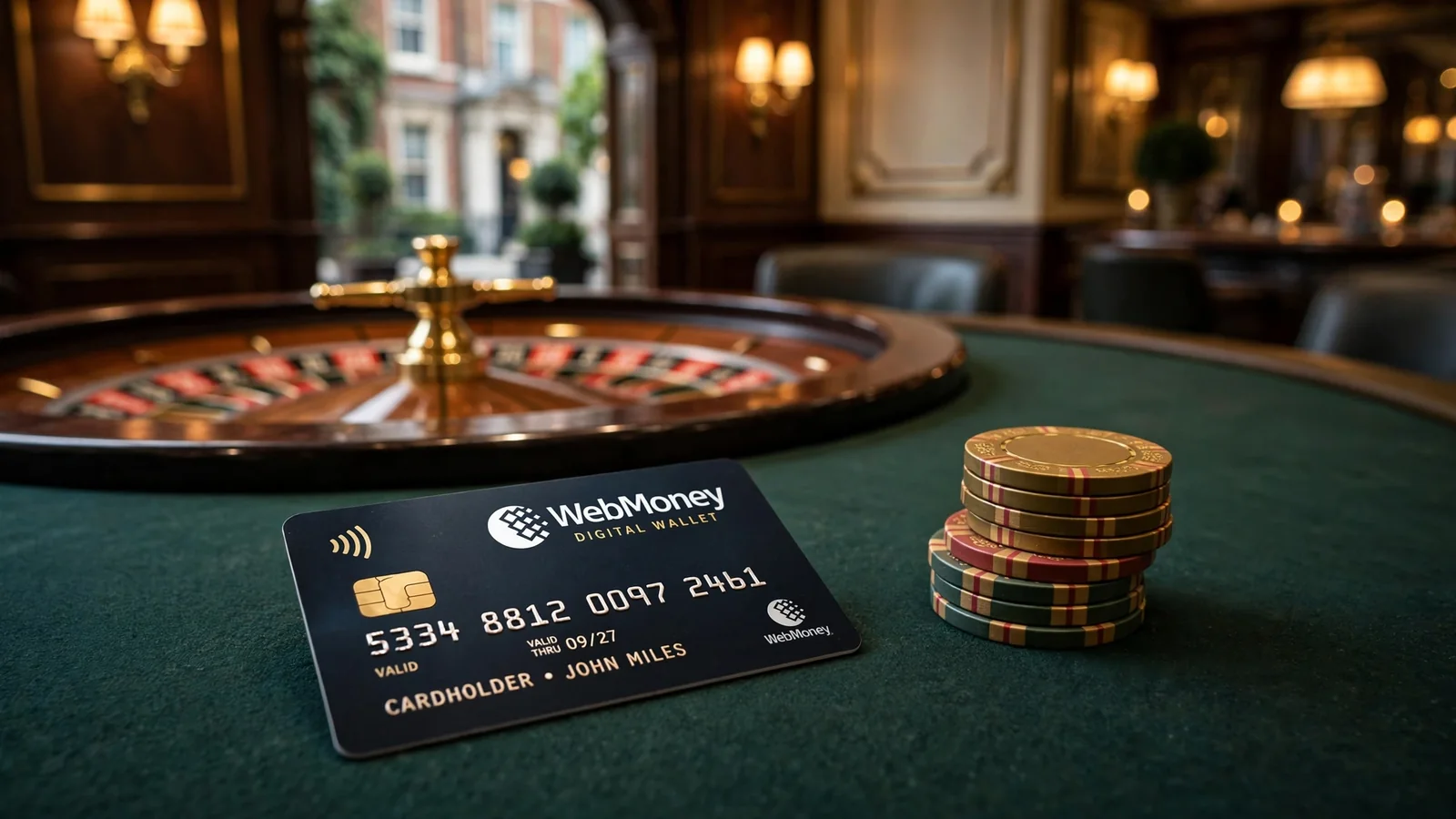
That makes pay by mobile different from a payment method built around a bank account. You are dealing with the amount available as phone credit, or with charges that will appear on the mobile bill, rather than entering a bank-card payment. The distinction matters when deciding what money you are committing: prepaid credit is already sitting on the phone, while a contract charge is payable through the future bill.
The phrase “instant” can make the method sound frictionless. What matters here is simpler: the deposit is charged through the phone account, and the transaction ceiling is £30. Those are the defining points. The exact cashier options and account conditions are separate questions, so don’t read the existence of Payforit as a promise that it will be offered to every player.
I would treat the mobile account as a real spending source, not a convenient pocket of spare cash. A charge on a phone bill can be easy to overlook when it is mixed in with ordinary mobile costs; prepaid credit can disappear from the balance you expected to use for calls or data. Neither changes the nature of the deposit. You are using money, even if you did not type in bank details.
So, when you see pay by mobile at a casino cashier, think of Payforit as a deposit charged to phone credit or a future bill, with a £30 per-transaction ceiling reported by a specialist payment guide. It is not a direct bank payment, and it is not unlimited. Keep that in mind before the convenience of paying on your phone does the thinking for you.
The Phone-paid Services Authority caps Payforit deposits at £30 per transaction.
How to Check Whether a Casino Accepts Mobile Payments
A page saying a casino takes pay by mobile is a lead, not a promise that the option will be available to you. Payment menus change, and an older review can remain online after the cashier has changed. I’ve learnt not to treat a familiar logo or a confident line of copy as proof. The useful check is the casino’s own current cashier, while signed in to the account you intend to use.
Look for Payforit or another named mobile-payment option in the deposit methods shown there. Don’t infer that Boku is supported just because a casino accepts Payforit, or the other way round. They are separate options, and the cashier needs to show the one you plan to use. If the method is absent, don’t assume it will appear later or try to make a different payment route behave like pay by mobile.
Check the account, not just the casino
Availability can depend on the account and its circumstances, so check from your own logged-in account rather than relying only on a public payments page. Make sure the account details and the phone information you intend to use are yours and are entered correctly. If the cashier displays a restriction or the option is unavailable, ask the operator for clarification before proceeding; don’t treat a general review as an override.

For the same reason, read the terms attached to the payment method and the account. A specialist review advises players to check the cashier for the applicable minimum deposit, maximum transaction value, fees and financial-limit controls before depositing. Those details can differ between operators and may change. A review can help you know what to look for, but it cannot establish what your account will be offered now.
There is a separate pre-deposit check worth making: a new remote customer must be prompted to consider a financial limit before the first deposit, and account-level limit facilities must remain accessible afterwards. Take time to set a limit you can live with, rather than clicking past the prompt just to reach the games. I’ve regretted rushing past screens that were there to make me pause.
Confirm the wider conditions
A payment option being visible does not settle every account question. Before you deposit, check which payout route is available to your account, whether identity checks are outstanding and what the operator’s current terms say. A specialist review also recommends checking these points before funding an account. That is not a claim that the deposit method itself can be used to withdraw; confirm the payout route separately.
For a UK player, the operator’s status matters too. Remote gambling operators serving the British market must hold the relevant UK Gambling Commission licence, regardless of where they are based. Check that the casino holds a current UKGC licence, rather than treating a payment logo as evidence of legitimacy. A familiar cashier is not a licence check.
Check Before Depositing
- Verify the casino holds a current UK Gambling Commission licence
- Confirm the Payforit option is visible in your live cashier
- Set a financial limit before your first deposit
- Check the applicable minimum deposit and any transaction fees
- Identify a verified route for future withdrawals
If you are comparing online casinos that accept pay by mobile in the UK, keep the comparison practical: does the current cashier show the method, does your account appear eligible, and are the conditions clear before you commit? If any answer is uncertain, pause and contact the operator through its stated support channel. A neat payment badge on an old page is not enough. Verify it live.
Paying by SMS: The Deposit Steps
Once Payforit is available in the cashier, the deposit itself is a short sequence: choose the method, enter your mobile number, receive a text with a confirmation code, then submit that code. The important bit is not to rush through the last screen. The code is what confirms the payment request, so take a moment to make sure you are completing the transaction you intended.
The Payforit sequence
-
Select Payforit. Choose it from the deposit methods shown in the cashier. This is the point where you start a pay-by-mobile transaction; choosing it does not mean the deposit has been confirmed.
-
Enter your mobile number. Type the number into the field provided. Check it before continuing: the SMS code needs to reach the phone associated with the number you entered. A mistyped digit can send the confirmation text elsewhere or prevent you from completing the process.
-
Wait for the confirmation text. Payforit sends an SMS containing a code. Keep the cashier open while you retrieve it, so you can return to the same transaction screen. If the message has not arrived, avoid guessing at a code or submitting a different one.
-
Enter and submit the code. Put the code into the confirmation field and submit it to authorise the deposit request. That final action matters. Entering your number alone is not the same as confirming the payment.
That is the basic flow for an online casino pay-by-mobile deposit through Payforit. The casino’s screens may look different, but the core steps remain selecting Payforit, providing the mobile number, receiving the SMS, and submitting its code.
I’ve learned not to treat a text message as harmless just because it arrives during a casino session. Read the message and the cashier screen together before confirming. If the amount or details shown do not match what you meant to do, stop rather than submitting the code. A confirmation code is part of the payment process, not a general login code to share or pass around.
There is also a useful distinction between starting and finishing. Selecting Payforit opens the payment route; entering your number tells it where to send the confirmation; submitting the code completes the confirmation step. If you leave midway, do not assume the deposit has gone through. Check the account and cashier status before trying again, so you do not accidentally start another request.
People searching for a pay-by-mobile SMS casino often expect a single tap. It is more deliberate than that: the phone number and SMS code both sit between choosing the method and confirming the payment. Small steps, but worth doing carefully.
Pay by Mobile and Casinos Not on GamStop: Don’t Assume They Go Together
I used to treat payment options as clues about the kind of casino I was looking at. That was a bad shortcut. Seeing pay by mobile in a cashier tells you that the operator offers that deposit route under the conditions shown there. It does not tell you whether the casino is registered with GamStop, or whether it is not.
No Signal
Do not use payment availability as a reason to test whether a site will let you play if you have chosen to self-exclude.
Those are separate questions. A payment method describes how money may be added to an account; GamStop concerns self-exclusion. One is not proof of the other. A casino offering Payforit might be on GamStop or not, and the presence of another phone-payment option does not settle the matter either. Don’t read a cashier list as a statement about an operator’s self-exclusion arrangements.
That matters if you are looking for pay by mobile casinos not registered with GamStop. The phrase can sound like a single category, but it joins two independent details. Confirm any claim about a casino’s GamStop status through the relevant current information, rather than inferring it from a mobile payment logo, an old review, or a search result. I would not take a deposit option as a reliable signal. It isn’t one.
There is a separate UK payment rule worth keeping straight. Remote gambling operators cannot accept credit-card payments for gambling, including when the payment is routed through a money service business. So a credit card does not become an acceptable gambling payment simply because an intermediary is involved. That rule is about the funding route; it does not establish a casino’s GamStop status, and it should not be confused with the question of whether pay by mobile is available.
“Pay by mobile” can also be used loosely in adverts and search results. The label alone does not tell you what the cashier currently supports or what conditions apply to a particular account. Check the operator’s current information directly, and keep that check separate from any assessment of self-exclusion status. One detail cannot do both jobs.
The same goes for offers described as “no wagering”. A mobile payment option does not, by itself, tell you whether a promotion is available or what its terms are. Don’t assume that a casino is offering a particular bonus because it accepts phone billing, or that the payment method changes the rules attached to an offer. Read the promotion’s terms rather than joining unrelated claims together.
If you have chosen to self-exclude, do not use payment availability as a reason to test whether a site will let you play. The useful question is not whether a mobile deposit can be made; it is whether the operator’s status and your own self-exclusion arrangements permit you to use the service. I know the temptation to treat a visible option as a green light. It isn’t.
Keep the checks distinct: payment method on one side, GamStop status on the other. A pay-by-mobile casino is not automatically a casino outside GamStop, and a claim about GamStop does not confirm that the casino accepts mobile payments. Don’t let a neat label make two separate facts look like one.
Deposit Limits, Fees and the £30 Ceiling
The amount you can put through a pay-by-mobile deposit is not simply whatever your phone account can carry. There are limits at the payment-service level and limits set by the casino, and the cashier is where they meet. I’d check the figures there before choosing an amount; an old review can be out of date.
A specialist review puts Payforit’s typical minimum in the £3–£5 range, with £30 as the upper amount. Treat that as a guide to what you may encounter, not a promise that every casino offers the same choices. The minimum can matter as much as the ceiling: if the cashier sets a minimum above what you planned to spend, the method may not suit that deposit.
- Check the live cashier for current limits and fees
- Set a personal budget before choosing an amount
- Confirm the transaction ceiling applies to your account
- Rely on old reviews for minimum or maximum limits
- Split a large deposit into several payments to bypass caps
- Ignore fees that may be added to your mobile bill
There is also a per-transaction cap. A specialist review attributes Payforit’s £30 limit to the Phone-paid Services Authority. That makes the ceiling a feature of the payment method, not merely a casino’s preferred deposit size. If the cashier offers less than the cap, the lower figure is the one that applies to your transaction. Don’t try to get around the limit by splitting a larger intended deposit into several payments.
Fees deserve the same attention as the headline amount. Before confirming a deposit, look for any charge displayed by the casino or payment provider and check your mobile tariff if the charge is not clear. A payment that appears to fit your budget can still cost more if a fee is added. I’ve made the mistake of looking only at the amount I meant to deposit. Not the full cost.
The cashier should also show the minimum and maximum transaction value available to your account, any fees, and the financial-limit controls attached to the account. Those details can depend on the operator and the payment option, so don’t assume a figure seen elsewhere will apply to you. If a fee or limit is unclear, pause and check the operator’s current terms or ask support before proceeding.
There is one more limit worth setting before money moves: your own. A new remote customer should be asked to consider a financial limit before making a first deposit, and account-level tools for setting or changing limits should remain available afterwards. I find it easier to decide what I can afford before a payment screen is nudging me to choose an amount. A budget made in the moment is a poor guardrail.
For a pay-by-mobile casino deposit, the practical check is simple: confirm the casino’s minimum, the amount permitted for the transaction, any fee, and your account’s financial controls. Payforit’s £30 ceiling is firm, while the amount you can actually select may be lower under the cashier’s current terms. If the numbers don’t fit, don’t force the deposit.
Your Phone Bill Is Not a Withdrawal Route
Payforit can put money into a casino account, but it cannot send winnings back to your mobile bill or prepaid phone credit. That distinction is easy to miss when the deposit felt like one quick phone transaction. The money may have arrived through your network, but any cash-out is a separate process.
I’d treat a pay-by-mobile deposit as money going one way. Before you use it, find out how you would withdraw from that specific account. A specialist review may list debit cards, bank transfers, PayPal or e-wallets such as Skrill and Neteller as possible payout methods at UK-licensed casinos, but that does not mean every casino offers each one to every player. The live cashier is the part that matters.
Check the withdrawal options while signed in, not just a general payments page. The routes shown can depend on the casino, the method and your account. Make sure the available option matches your own details and currency, and look for any identity checks or terms that still need your attention. A payout request can be delayed if verification is outstanding.
There is a practical point here: you may need a verified bank account, debit card or e-wallet for withdrawals even if you funded the balance by phone. Set that up before depositing, rather than discovering afterwards that the route you expected is not available to you. An operator may also have a minimum withdrawal amount, so check the current cashier and terms before you plan around a small balance.
Withdrawal Route
Pay-by-mobile is a one-way funding route; winnings cannot be sent back to your mobile bill or prepaid credit.
The deposit method is not a promise about the payout method. I used to read “pay by mobile” as if it covered the whole money journey. It doesn’t. The phone payment gets funds into the casino; it does not create a route back out.
That is the catch.
If you are comparing mobile casinos that accept payment by phone bill, keep the deposit and withdrawal questions separate. Check the deposit option in the cashier, then check the payout route available to your account. Do not assume Payforit will appear under withdrawals just because it appeared under deposits. If no suitable, verified withdrawal method is available, pause before adding funds.
The same check applies if you are playing mobile casino games on your phone: the device you use to play does not change the cash-out rules. Withdrawals have their own methods, limits, fees and processing conditions, and those details can change. Read what the operator currently shows, and keep the confirmation for your own records.
No route back to your bill.
Mobile Slots by SMS: What Your Phone Needs
Payforit is generally intended for people playing on a mobile device, so the phone is part of the payment setup, not just the screen you happen to use for slots. That sounds obvious until you start on a laptop, reach the cashier and find that the mobile option is not there. I used to treat payment logos as promises. They aren’t.
If you’re looking at slot sites that accept pay by mobile, start by using the casino’s own site on the phone you plan to play on. Payforit being listed somewhere does not mean it will appear for every player or on every version of the cashier. The live options on your account are what matter. Keep the distinction in mind: being able to open a slots page on your phone is not the same as being able to fund the account through Payforit there.
There is no special slot type that makes a phone payment work. The relevant point is whether the operator makes Payforit available to mobile players and whether your account can use it. If you prefer playing on a larger screen, check before you settle into that routine; you may need to switch to your phone for the pay-by-mobile option. Don’t assume that a desktop cashier will show the same choices.
I’d also separate “mobile slots” from “mobile payment”. A casino can let you play slots on a phone without offering Payforit, and an operator may support Payforit for mobile users without every slot behaving identically on every device. The cashier and the game are separate parts of the experience. Check them separately.
For anyone comparing casino sites that take payment by mobile, the practical question is not which one looks most polished on a small screen. It is whether Payforit is actually available to you when you access the current cashier from your phone. That is a narrower test, but a more useful one. No guesswork.
If you are using a shared or unfamiliar phone, take care not to leave your casino account open or let someone else use it. A mobile deposit is still money entering a gambling account, and operators must verify a customer’s age before allowing deposits. Keep control of the device and account, and set a financial limit before your first deposit. That is less exciting than browsing slots. It is also the bit I would rather not learn the hard way.
Payforit Deposit Process
Choose Payforit from the deposit options in the casino cashier.
Enter your mobile phone number correctly to receive the confirmation text.
Wait for the SMS containing the confirmation code while keeping the cashier open.
Enter the code into the confirmation field and submit it to authorise the deposit.
Boku Deposits: Confirm First, Then Check Your Credit
Boku can look like a simple way to fund a casino account from your phone, but the name alone does not tell you whether a particular cashier supports it. I check the operator’s current payment options before relying on Boku; support can vary, and an old review or a network name is not confirmation.
The transaction depends on an SMS approval. You select Boku where it is offered, follow the prompt to confirm by text, and the funds do not move until you complete that confirmation. Read the message before replying: make sure it relates to the deposit you intended and that the amount shown is right. A request you did not start is a reason to stop, not to confirm.
Then check your available phone credit. It needs to cover the deposit and any network processing fee. That fee can vary with your network and tariff, so a balance that matches the deposit alone may not be enough. If the payment fails, check the operator’s cashier and your network terms rather than repeatedly submitting the same request. Small detail, real difference.
Some specialist payment-method reviews describe a standard Boku transaction ceiling of £30. Treat that as a reported limit, not a promise that every casino will accept a deposit at that amount: the operator’s live cashier sets out what it will accept. Do not try to get around the cap by splitting a payment.
If you are comparing Boku pay-by-mobile casinos, “trusted” should mean that you can verify the operator and the payment terms, not that a familiar payment logo guarantees a smooth transaction. For a UK-facing casino, check that it holds a current UKGC licence as well as confirming Boku is listed in its cashier. A provider or phone brand by itself proves neither point.
I would also keep the confirmation message until the payment appears in the casino balance. If the text, fee or requested amount does not match what you expected, pause and contact the operator or your network before authorising anything. A text is a prompt, not a reason to switch off your judgement.
Virgin Games and Pay-by-Mobile Deposits
Virgin Games appears in specialist review coverage as an operator where Payforit has been listed among the cashier options. That is a useful lead, not a promise that you will see it when you sign in. Payment menus can change, and what matters is the cashier currently shown for your account.
I’ve learned not to treat a review page as a live payment screen. Before planning a deposit by mobile, open Virgin Games’ cashier and check whether Payforit is actually offered. If it is absent, an old listing does not make it available. Nor does one operator’s listing tell you what another casino will accept.
Even when Payforit appears, take a moment to read the terms shown beside it. Check the minimum deposit, the maximum transaction value and any fee before you confirm anything. These details belong to the current cashier, not to a general claim about casinos with pay-by-mobile payments. Check your account’s financial-limit controls too. New customers should be prompted to consider a financial limit before making their first deposit, and account-level limit tools must remain available afterwards.
A low deposit option can sound like a neat way to try a casino, but don’t assume a particular amount will be accepted just because you have seen it mentioned elsewhere. The cashier sets out what your account can use at that point. If Payforit is there, compare the displayed amount and terms with your own limit; if it is not, don’t try to force the payment through another route.
That is the practical guide to pay-by-mobile deposits at Virgin Games: treat the review listing as a reason to check, then rely on the live cashier before deciding. No guesswork.
What is the maximum I can deposit with Boku at a UK casino?
Boku deposits are capped at £30 per transaction.
Are there fees for using Boku at online casinos?
Your mobile network may charge a processing fee, which varies by network and tariff. Check your network’s charges and the casino cashier before depositing.
Is there a maximum deposit amount with Payforit at UK casinos?
Yes. Payforit deposits are capped at £30 per transaction.
Can I withdraw casino winnings to my phone bill with Payforit?
No. Payforit can be used for deposits, but not for withdrawals.
Do UK casinos offer welcome bonuses for Payforit deposits?
Most UK casinos exclude Payforit deposits from welcome bonuses and other promotions. Check the offer terms before depositing.
Created by the ”Candyland Casino 1” editorial team.